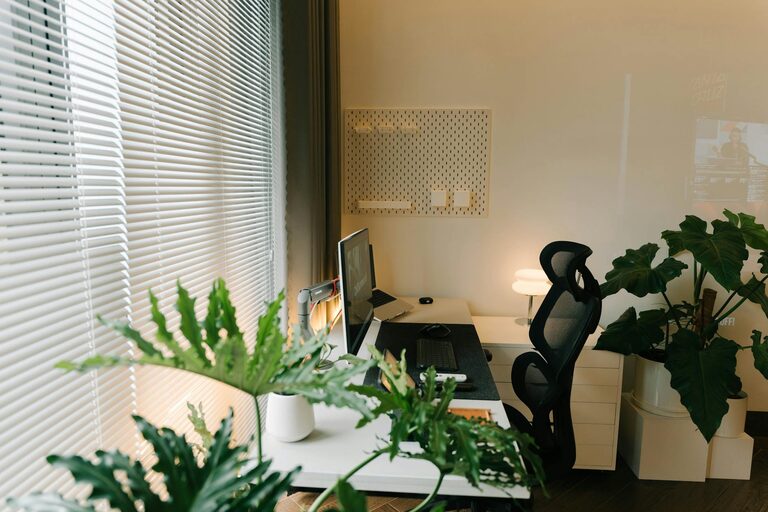
Creating a home workspace that is both organised and inspiring can transform the way you work, making your days more productive and less stressful. Whether you’re working remotely full-time or just need a space for occasional tasks, a well-arranged environment can make all the difference. Here are some practical tips to help you create a more organised home workspace.
Why an Organised Workspace Matters
Having an organised workspace reduces distractions, helps you find things quickly, and creates a pleasant atmosphere that encourages focus. When your desk is clutter-free and well ordered, your mind can concentrate better and get more tasks done efficiently.
1. Choose the Right Location
Start by selecting a spot in your home that suits your work needs. Ideally, this should be a quiet area with minimal foot traffic and noise. Natural light is a bonus, as it helps improve mood and reduces eye strain. If natural light isn’t an option, invest in good quality lighting that won’t tire your eyes.
2. Keep Only Essentials on Your Desk
A cluttered desk makes it harder to focus. Only keep items you use daily on your desk, such as your computer, notebook, pen, and perhaps a mug for water or tea. Store everything else in drawers or shelves nearby. This simple step can clear mental clutter as well as physical.
3. Use Storage Solutions
Implement storage that suits your needs:
– Drawers: Great for papers, stationery, and miscellaneous items.
– Shelves: Use for books, files, or decorative storage boxes.
– Desk organisers: Compartments or trays for frequently used items.
– Cable management: Clips or sleeves to keep wires tangle-free.
Label storage boxes or folders to find items quickly and maintain organisation.
4. Maintain a Paper System
Paper can quickly pile up and cause chaos. Develop a system to handle documents:
– Sort regularly: Recycle or shred unnecessary papers.
– Use folders: Categorise important documents by client, project, or type.
– Go digital: Scan and store documents electronically to reduce paper clutter.
5. Personalise Thoughtfully
Adding personal touches can make your workspace welcoming, but avoid excess decoration that can be distracting. A plant, a small photo frame, or a favourite art print can create a calm atmosphere without overcrowding the space.
6. Set Up Ergonomically
An organised workspace also means one that supports your health. Arrange your chair, desk, and monitor so that you maintain good posture:
– Screen at eye level and about an arm’s length away.
– Feet flat on the floor or on a footrest.
– Adjustable chair for good back support.
This reduces strain and helps you stay comfortable during long work hours.
7. Establish a Daily Tidying Routine
Take a few minutes at the end of each day to put things back in their place. Clearing your desk regularly prevents clutter from building up and prepares you for the next workday with a fresh start.
8. Limit Distractions
Keep non-work items, like mobile phones or unrelated devices, out of sight if they tend to distract you. Use noise-cancelling headphones or play soft background music if it helps maintain your concentration.
9. Improve Digital Organisation
Your physical environment isn’t the only thing to organise. Keep your computer desktop and files neat:
– Create folders for different projects.
– Delete unnecessary files regularly.
– Use task management apps to plan your work.
This digital tidiness complements your physical workspace to keep you productive.
10. Adapt and Evolve
Your workspace needs may change over time, so be prepared to adjust your setup. Regularly review what works and what doesn’t, and don’t hesitate to rearrange or replace items to better suit your workflow.
—
Creating a more organised home workspace doesn’t have to be overwhelming. Start with small steps, like decluttering your desk or setting up proper storage, and gradually build a space that helps you focus and work comfortably. A well-thought-out workspace can turn your home environment into a productive and enjoyable place to be.