Creating a cosy and functional home workspace is essential for anyone who works from home or spends significant time at their desk. A well-designed workspace not only improves productivity but also contributes to your overall well-being. With the right balance of comfort and practicality, your home office can become a place where you enjoy spending time. Here are some helpful tips to achieve that perfect setup.
1. Choose the Right Location
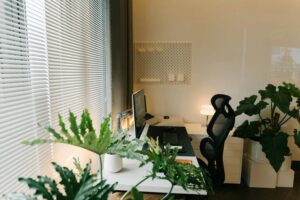
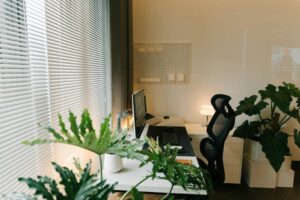
Selecting a suitable spot for your workspace is the first step. Ideally, pick a quiet corner away from distractions, where natural light is available. Daylight helps reduce eye strain and boosts mood.
– Near a window: Natural light keeps the space bright and inviting.
– Away from noisy areas: Choose a quiet room or a tucked-away corner.
– Consider airflow: Good ventilation keeps the environment fresh.
If space is limited, consider creative solutions like a fold-away desk or a nook under the stairs.
2. Invest in Ergonomic Furniture
Comfort plays a major role in how well you work. Ergonomic furniture supports your posture and reduces the risk of discomfort or injury.
– Ergonomic chair: Look for adjustable height and lumbar support.
– Desk at the right height: Your elbows should be at a 90-degree angle when typing.
– Footrest: Helps maintain circulation if your feet don’t reach the floor.
Paying attention to ergonomics will make long work hours more comfortable.
3. Optimise Lighting
Proper lighting can prevent eye strain and create a warm atmosphere.
– Layered lighting: Use a combination of natural light, overhead lights, and task lamps.
– Adjustable desk lamp: Allows focused light on paperwork or keyboard.
– Avoid glare: Position screens and lights to reduce reflections.
Warm-coloured bulbs often make the space feel cozier compared to harsh, cool lighting.
4. Personalise Your Workspace
Adding personal touches makes your work area inviting and motivating.
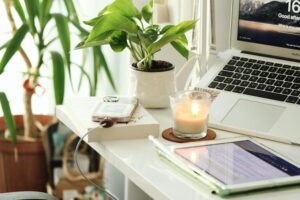
– Plants: Small indoor plants improve air quality and add greenery.
– Artwork or photos: Choose images that inspire or relax you.
– Favourite colours: Incorporate subtle colours through accessories like cushions or organisers.
Be mindful not to overcrowd the space, as clutter can become distracting.
5. Organise Efficiently
Keeping your workspace tidy helps maintain focus and efficiency.
– Use storage solutions: Shelves, drawers, and boxes keep items organised.
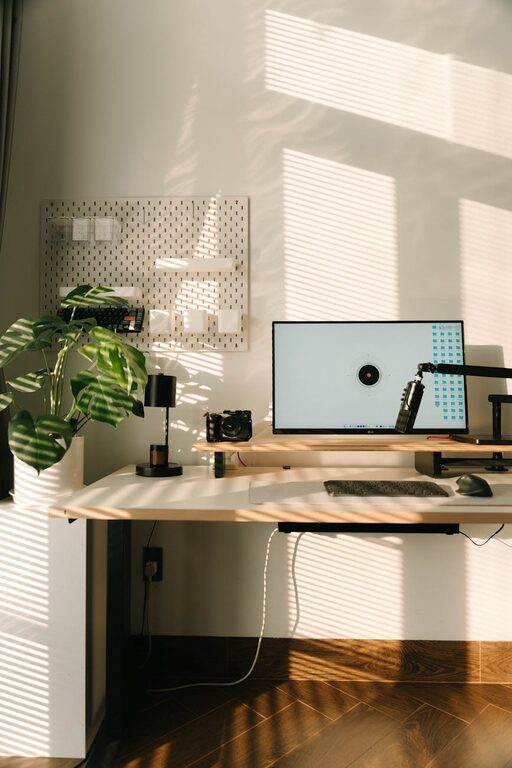
– Cable management: Use clips or tubes to minimise tangled wires.
– Desk organisers: Pen pots, trays, and file holders keep essentials within reach.
Spend a few minutes at the end of each day tidying up to maintain a clean environment.
6. Incorporate Technology Wisely
Technology is essential but can also clutter a space if unmanaged.
– Wireless devices: Reduce cable mess with wireless keyboard, mouse, or headphones.
– Good-quality monitor: A larger or secondary screen can improve productivity.
– Charging station: Keep your gadgets powered neatly with a dedicated station.
Consider your work needs and invest in reliable equipment that enhances your workflow.
7. Create Zones for Different Tasks
If your workspace allows, separate areas for different activities can help signal when it’s time to focus or relax.
– Work zone: Desk, chair, and computer area.
– Reading or planning zone: A comfy chair or small table.
– Storage zone: Shelves and filing cabinets.
This structure keeps your workday organised and less stressful.
8. Make Comfort a Priority
Small touches that increase comfort can make a big difference.
– Soft textiles: Cushions or a small throw add warmth.
– Adjustable temperature: Use fans or heaters to maintain a pleasant climate.
– Break area nearby: A spot for stretching or relaxing helps avoid burnout.
Remember to take regular breaks away from your desk to stay refreshed.
Conclusion
Designing a cosy and functional home workspace doesn’t require major changes. Focusing on ergonomics, lighting, organisation, and personalisation will create a space that supports your work and well-being. Experiment with what works best for you, and enjoy a home office that feels both productive and comfortable.